Guides · LSL
BlueMuse alternative: Windows LSL and desktop options
August 23, 2026 · 4 min
BlueMuse 3.1 is a strong Windows GUI for Muse-to-LSL streaming. Compare it with MuseLSL, official Muse research tools, and MindVault’s Athena-first desktop workflow.
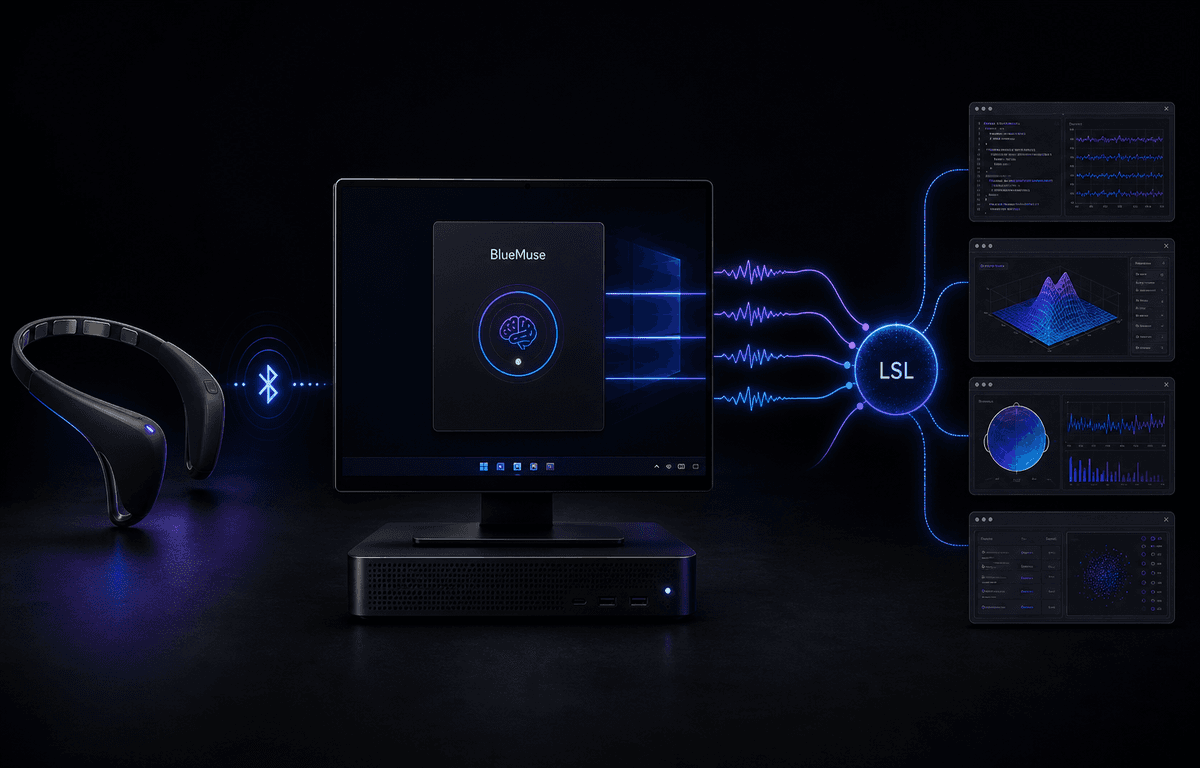
BlueMuse has a clear strength: it turns Muse data into Lab Streaming Layer streams from a Windows GUI. The MuseLSL documentation recommends BlueMuse for Windows while pointing macOS and Linux users to the MuseLSL command line. Current BlueMuse 3.1.0 is a stable, modernized Windows release.
The job BlueMuse already does
You have a Muse headband and a Windows pipeline. BlueMuse publishes EEG and optional sensor streams over LSL so MATLAB, Python, or another inlet can subscribe. The interface manages discovered headsets and shows stream status, latest values, timestamps, and sample rates.
BlueMuse 3.1 requires Windows 10 version 1809 or later, or Windows 11. It replaces the classic UWP app and separate LSL Bridge used by 2.4 with a .NET 10 and WinUI 3 app whose LSL logic runs in-process. The current installation remains an MSIX sideload; the guide does not list BLED112 as a requirement.
The 3.1 release lists Muse S Athena support as experimental and not verified. Protocol support is not the same as a validated production workflow: Athena users should test their exact signals before relying on it for a study.
Where the other routes fit
MuseLSL is the broader command-line and Python-library route for Muse 2016, Muse 2, and Muse S across Windows, macOS, and Linux. It can create LSL streams, show data, and record CSV, but it is not an integrated desktop workspace.
The vendor-backed Muse research software provides desktop and mobile streaming, LSL or OSC, event markers, multi-device sessions, and CSV or EDF recording, including Athena optics. It is licensed research software accessed by contacting Muse rather than a public self-serve download.
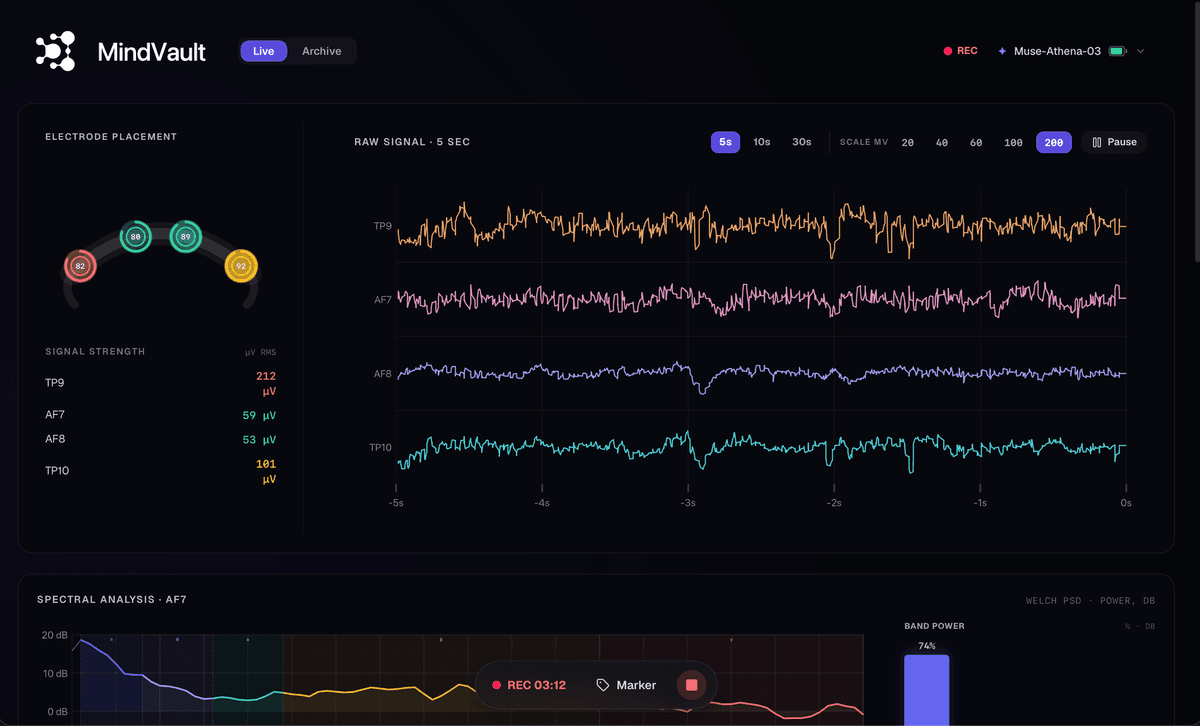
MindVault’s current Athena release connects the headband directly to the computer and brings live TP9, AF7, AF8, and TP10 at 256 Hz, contact quality, CSV recording, and EDF export into one desktop workflow. Windows, macOS, and Linux distribution is rolling out, with LSL, OSC, an HTTP API, and event markers coming to Lab.
Which route fits your workflow?
BlueMuse is an established and actively maintained Windows GUI for Muse-to-LSL, and MuseLSL recommends it for that workflow. There is no public market-share dataset that supports a broader claim about overall Muse desktop leadership.
The right comparison depends on the job. Choose BlueMuse 3.1 for a Windows GUI that publishes LSL today, MuseLSL for a cross-platform CLI or Python library, or official Muse tools for a licensed research stack. Choose MindVault for an Athena-first desktop workflow that combines direct pairing, live EEG, contact quality, and local files. LSL and OSC are coming next in Lab.
For a broader overview of phone, LSL, and direct desktop routes, see Muse EEG on a computer without the phone app. For MS-03 hardware and signal details, see Muse S Athena raw EEG on the desktop.
| Feature | BlueMuse 3.1 | MuseLSL | Official Muse tools | MindVault |
|---|---|---|---|---|
| Best for | Windows GUI to LSL | Cross-platform CLI / library | Licensed research studies | Athena live view and files |
| OS | Windows 10 / 11 | Windows, macOS, Linux | Desktop and mobile | Windows, macOS, Linux rollout |
| Availability | Public stable release | Public package and source | Contact Muse for access | Controlled early access |
| Live pipe | LSL | LSL | LSL and OSC | LSL and OSC coming to Lab |
| Recording | LSL output; no built-in files | CSV | CSV and EDF | CSV recording and EDF export |
| Athena | Experimental; not verified | Not listed | Supported | Tested four-channel EEG |
| Interface | Windows GUI | CLI / Python | Vendor research software | Athena desktop workspace |
MindVault plans
Free brings 30 minutes of live EEG and contact quality to the desktop.
Base ($19/mo) adds unlimited live view, local recording, CSV, and EDF export.
Coming next in Lab ($49/mo): LSL, OSC, an HTTP API, and event markers in the same session.
Research roadmap ($99/mo): adjustable notch and bandpass filters, plus raw and filtered export.
Sources and status
Status checked August 23, 2026. Primary sources: BlueMuse README and 3.1 version notes, MuseLSL documentation, Muse Platform + Data, and the Muse SDK developer page.
MindVault is onboarding Athena users through controlled early access. Leave your email; we will follow up about your operating system and workflow. One reply, not a newsletter.
FAQ
- Does BlueMuse run on macOS or Linux?
- No. BlueMuse 3.1 is a Windows LSL app. MuseLSL provides a cross-platform command-line route, while official Muse research tools cover licensed desktop workflows. MindVault is rolling out controlled early access for Windows, macOS, and Linux.
- If I need Muse LSL on Windows today, should I use BlueMuse?
- Yes. BlueMuse 3.1 is a current public Windows GUI route to LSL. MindVault takes a different route: direct Athena pairing, live EEG, CSV, and EDF today, with LSL coming to Lab.
- Does BlueMuse 3.1 support Muse S Athena?
- The project lists Athena support as experimental and not verified. Test the required streams before relying on it for a study. MindVault’s current Athena release provides a tested four-channel EEG workflow through controlled early access.
. Connect Athena directly, view 256 Hz EEG, record CSV, and export EDF. LSL and OSC are coming next in Lab.